Parham Alvani
9 years building backend systems
4 of them on platform and infrastructure

How to Reach Me
parham [dot] alvani [at] gmail [dot] com
- Start the subject with [IE], then say what it is about
- Include your student ID — it is how anything about grades gets looked up
- One question per email. Long threads get lost; short ones get answered
No instant messaging
Email is awesome
- Searchable — you can find what I said three months ago
- Asynchronous — neither of us owes the other an answer at 2am
- On the record — “but you said the deadline moved” becomes checkable

This Course
- Web: the major Internet technology-in-use
- What are/were the problems?
- How do/did we solve them?
- Which protocols and languages are used
- Engineer approach
- Understand existing concepts & technologies
- In class
- Try examples & sample projects
- By yourself
The World-Wide Web
- Original idea (Tim Berners-Lee, 1989)
- Public information sharing on Internet
- Hypertext
- Documents are text which can be displayed/converted to desired output
- Documents can be linked to each others: Web!
- WWW: A system of interlinked hypertext
- Now, much more complex/interesting applications
The Web, in Nine Moments
| 1989 | Tim Berners-Lee writes a proposal at CERN. His manager writes on the front page: “Vague, but exciting…” |
| 1990 | The first browser and the first server. The browser was also an editor — we lost that half. |
| 1991 | The first public website goes live. It explains what a website is. |
| 1993 | Mosaic puts images in the page. CERN gives the web away, for free. |
| 1994 | The W3C is founded, and CSS is proposed. |
| 1995 | JavaScript is written in ten days. |
| 1999 | HTTP/1.1 is specified. Sixteen years pass before the next version. |
| 2008 | Chrome and V8. JavaScript gets fast enough to build applications in. |
| 2015 2022 | HTTP/2, then HTTP/3 — which quietly stops using TCP. |
How Does WWW Work?
- Client-Server mechanism
- Web servers: Process client’s requests
- File (text, image, video, ...) retrieval requests
- Computation/Processing (DB lookup, transaction, ...) requests
- Web clients: Send the requests
- Browser: Interacts with client, Requests for server, Processes and displays response (rendering)
- Other applications
- Search engine crawlers
- Use server as a processing element (distributed computing)
- ...
You Are Already Running One
| Your browser calls itself | … |
| Its window is | … |
| It prefers | … |
| Cookies are | … |
| It believes it is | … |
None of that is written on the slide. Your browser volunteered it — which is also the first thing lecture 11 will worry about.
Every Browser Claims to Be Mozilla
…- Servers once sent different HTML to different browsers
- So every browser started impersonating the popular one, and none of them ever stopped
- Whatever you are running, that string almost certainly still begins with Mozilla/5.0
So Is This Deck
| Files your browser fetched | … |
| Time until it finished | … |
- These slides are HTML, CSS and JavaScript, delivered over HTTP
- That is lectures 2 to 5. You are looking at the syllabus
What Do We Want to Learn?
- How does Gmail work?
- Login (keep me signed in)
- Show emails
- Read/Delete emails
- Refresh the list of emails
- Interactive menus
- Per user customizations (themes)
- ...
10 Engineering Questions
By the end of the term, you should be able to answer all ten.
- Q1) How do a browser and a server talk to each other?
- Q2) How is a page organized, and what makes a heading a heading?
- Q3) How is a page’s look described, separately from its content?
- Q4) How does a page react to the person using it?
- Q5) How do we change part of a page without reloading it?
- Q6) How is data encoded so other programs can use it?
- Q7) How does the server decide what to answer?
- Q8) How do you structure an application too big for one person?
- Q9) How do you ship it, and run it the same way everywhere?
- Q10) How does all of it get broken, and how do you stop that?
Who Answers What
| Question | Lecture |
|---|---|
| Q1 | 2 — HTTP |
| Q2 | 3 — HTML |
| Q3 | 4 — CSS |
| Q4, Q5 | 5 — JavaScript |
| Q6 | 6 — JSON, Thrift and gRPC |
| Q7 | 7 — Go Programming (8 — CGI, for how it used to be done) |
| Q8 | 9 — Web Application Architectures |
| Q9 | 10 — Virtualization |
| Q10 | 11 — Web Security |
WWW: From Old to Now
- Static Web Pages
- Client requests a document from server
- A communication protocol: HTTP
- How to display the document in browser?
- Document structure definition language: HTML
- Representation of document: CSS
- Later, very later, some advance features: HTML5
WWW: From Old to Now
- Interactive and Dynamic web page
- Needs to interact with user (e.g., event handling in web pages)
- A programming language in browser: JavaScript
- Dynamic data from server (e.g., search result)
- A programming language in server: Go
- Interactive & Dynamic web page
- A communication mechanism between web page and server: JavaScript & JSON
WWW: From Old to Now
- Complex processing in server side
- So many common requirements
- Threading, Concurrency, Security, etc.
- Needs an application development framework
- Web Applications Architectures
- Distributed computing over web
- Machine-to-Machine communication
- Function invocation over web
- Needs a common protocol/API (e.g., the Meta Graph API)
- Web services
Waiting...What we are going to learn at classes
- 1 Introduction
- 2 HTTP
- 3 HTML
- 4 CSS
- 5 JavaScript
- 6 JSON, Thrift and gRPC
- 7 Go Programming, and an HTTP server
- 9 Web Application Architectures
- 10 Virtualization
- 11 Web Security
What we are going to learn at TA's classes
- Git
- HTTP Client
- HTML/CSS
- JavaScript/React
- Backend Development
- Docker
Also on the Site, Not in Class
Extra decks you can read on your own. Most were written by students who took this course before you.
| CGI | how servers answered requests before frameworks existed |
| CORS | the error you will hit in your first assignment |
| React · Vue · Redux | the front-end side, in more depth than the TA sessions |
| MongoDB · NATS | the databases and message brokers behind lecture 9 |
| Kubernetes · WebAssembly | where lecture 10 goes next, and a genuinely strange corner |
Your Toolbox
- Browser DevTools — you will live in the
Network and Console tabs. Open it now:
F12 - curl — a browser without opinions. Lecture 2 is mostly this
- git — how you will hand in your work
- Go and Node — one server, one front end
- Docker — so “it works on my machine” stops being an excuse
All of them are free, and all of them run on whatever you own.
What This Course Is Not
- XYZ programming language course for web
- Many technologies for web development
- HTML, CSS, XML, etc.
- Many programming languages: PHP, JS, Golang, etc.
- You are already programmer
- You know most programming concepts
- You need to learn new syntax & new features
- In depth & in detail technology review
- There are so many technologies
Course Advantages
- We study and understand technologies that are used in real life every day
- We don’t discuss about pure scientific problems
- An engineering course
- These technologies are used in industry
- Better resume: HTML, JavaScript, JSON, CSS, Golang, React, ...
- More job opportunities (more money 🤑)
- (Usually) Technologies are easier than sciences
- No difficult concepts
- High course grade if you want 🤓
Course Possible Disadvantages
- We study technologies
- Technologies have limited life time
- Our knowledge will expire
- Some programming languages & technologies may not be used 10 years later
- However, most discussed technologies in this course (hopefully) will have very long life time
- Web development needs many technologies
- We need to learn many things
Assumptions on your knowledge & skills
On paper: Introduction to Programming and Advanced Programming are prerequisites, and Database Design runs alongside this one.
- Basic networking concepts
- Protocol, Port, Header, ...
- Programming
- Java/C
- Database
- SQL
- Love to program
- At least, you don’t hate 🙈
Course Policies
- There is no grading by TAs (AUT University Policy)
- Course homepage
- Course slides, Announcements, Grades, etc.
- Grading
- Midterm + Final + Assignments
Course Policies: Grading 😥
| Component | Weight | Minimum requirement |
|---|---|---|
| Midterm | 35% | > 40% |
| Final | 35% | > 40% |
| Homework | 30% | Deadlines won’t be extended |
Course Policies (Cont.)
- If this course is an optional course for you
- Please don’t take it if
- Your programming skill is poor
- You assume that it is passed without doing anything
- You know the answers to almost all the questions
- But you are so busy to do homework
- You need to allocate enough time for top grades
- If this course is mandatory
- Note that the course covers a lot of ground
Web Development: Lectures


Web Development: Homework
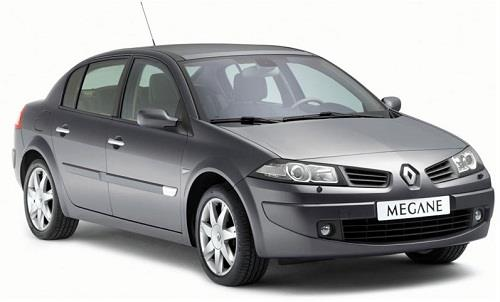
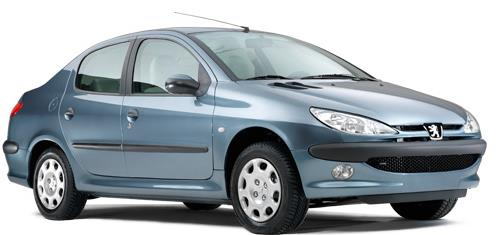
Web Development: Industry

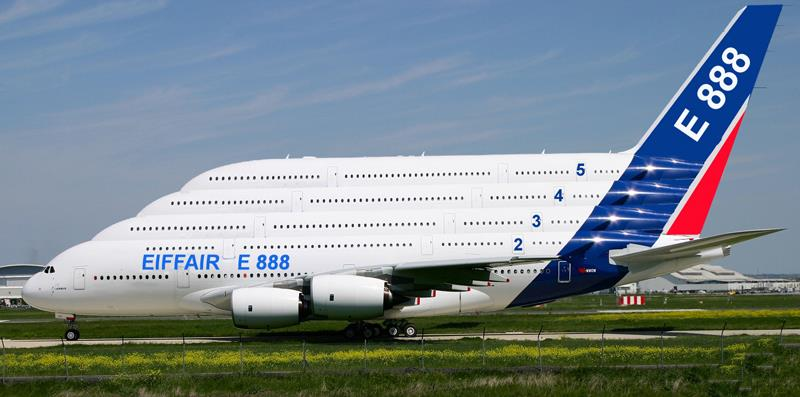
Web Development: Google, Facebook, ...
These Slides Are Open Source
- Everything you have just seen lives at github.com/1995parham-teaching/ie-lecture — the ribbon in the corner is a real link
- Written in HTML, styled with CSS, built by Hugo, published by GitHub Actions
- Every deck has a PDF button on the course homepage, so you are never stuck without the slides
- Found a mistake? Send a pull request. Several students already have
Where to Read More
| MDN Web Docs | the reference for HTML, CSS and JavaScript. Not W3Schools |
| Responsive Web Design with HTML5 and CSS | Ben Frain |
| JavaScript: The Definitive Guide | David Flanagan |
| The Go Programming Language | Donovan & Kernighan |
| The RFCs | intimidating, then surprisingly readable. We will read parts of a few |